Boats & Specs
Every boat gets its own record — technical specs, admin details, dimensions, and insurance documents — so the details you'd otherwise dig for in a folder or old email are one tap away.
There's no limit to how many boats one account can hold. Add your main boat and its dinghy or tender side by side, or keep the full history of every boat you've owned or served on — nothing has to be deleted to make room for the next one.
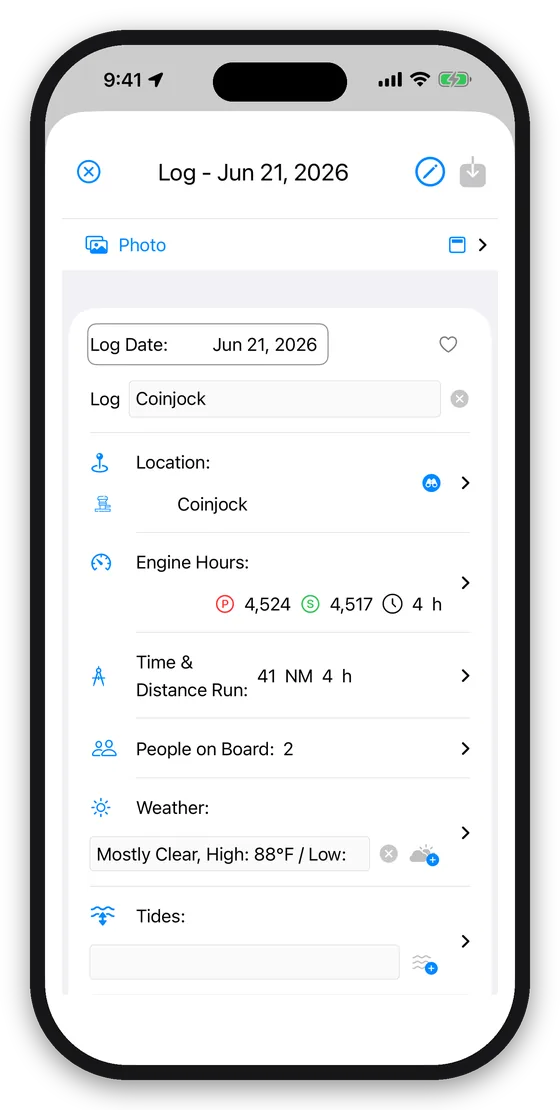
Logbook
A daily log, fuel log, pumpout log, and generator log, all in one place and all linked to the boat's engine hours and location. Fill the day's tides into an entry with one tap. Log once; the rest of the app — maintenance schedules, fuel estimates, expense totals — uses what you entered.
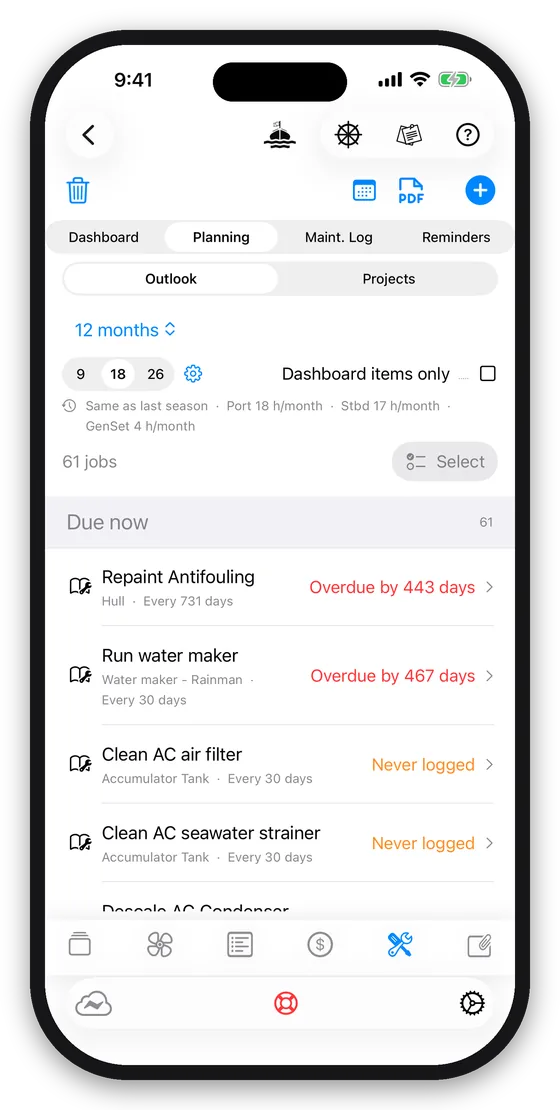
Maintenance
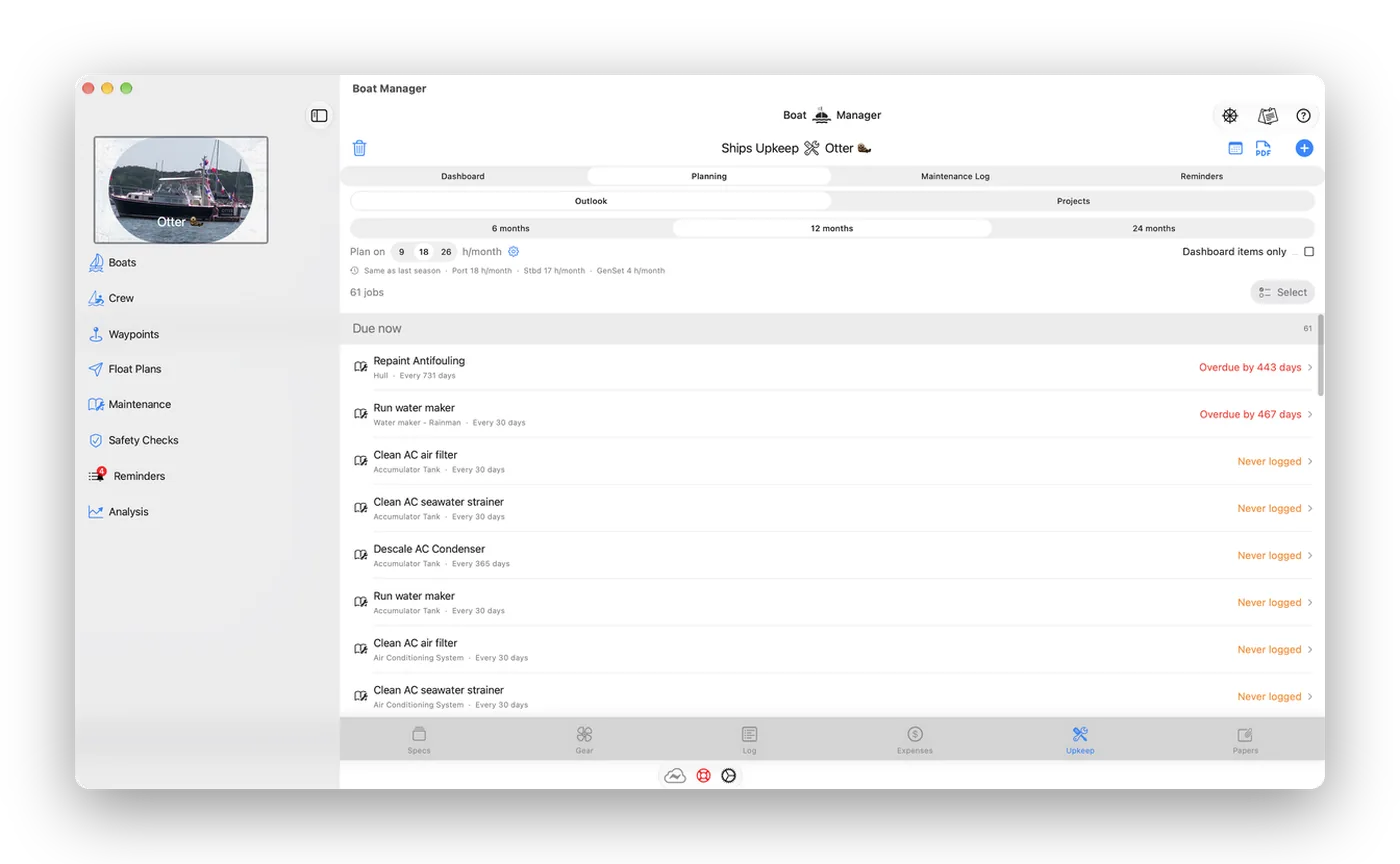
A library of common planned-maintenance tasks with recommended intervals — daily, by engine hours, or every 1, 3, 6, 12 or 24 months — ready to add to any boat. Build checklists, track what's been done and what it cost, and get reminders that sync straight to Apple Reminders and Calendar so you see them without opening the app.
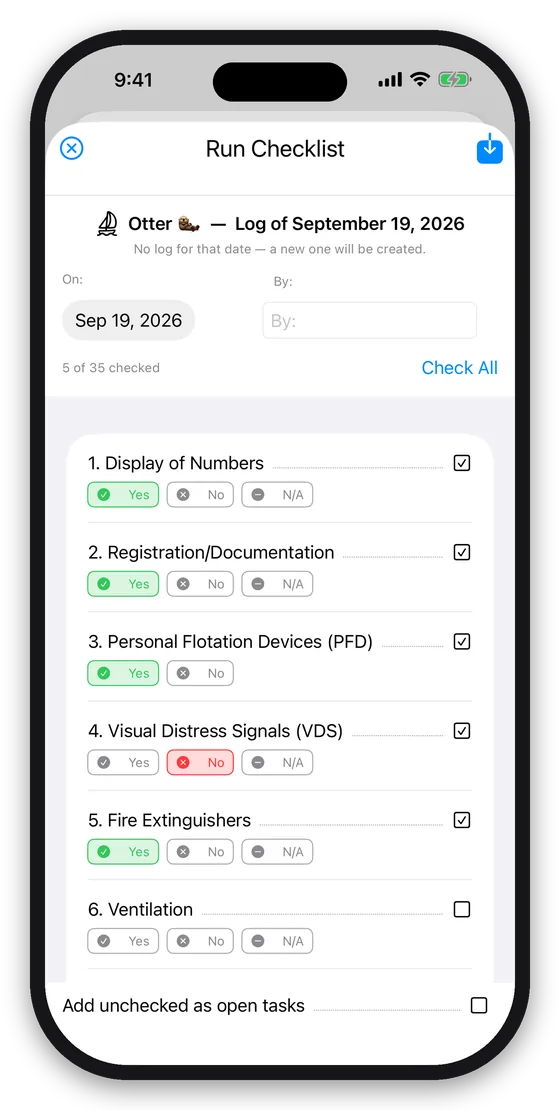
Safety
The USCG Vessel Safety Check and the federal Required Equipment list come ready to run, every item explained in the form's own words. Work through one, answer Yes, No or N/A, and the run files a report in the log, an open task for every failure, and a PDF of the whole check on the boat's papers. Before you start, it answers what your own records can — the gear you've tagged and when it expires, what the boat carries, how many extinguishers her length requires — so expired flares show up before you walk the deck. Add your own safety checklists alongside.
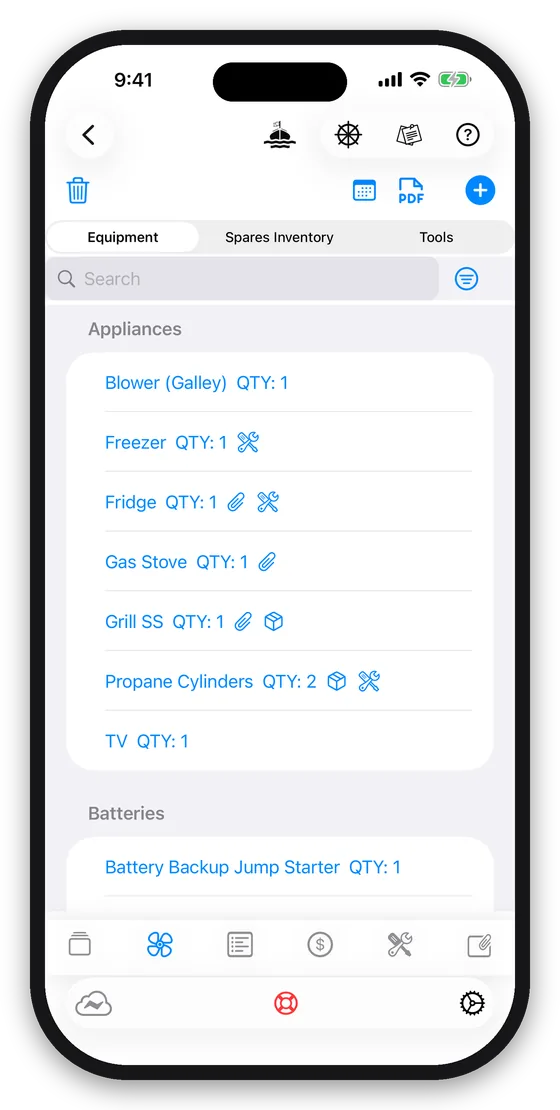
Gear & Spares
Track equipment, spare parts, and tools by boat. Set expiry dates on anything that needs one — flares, fire extinguishers, PLBs — with an optional calendar reminder before it lapses. Tag gear with the safety requirement it satisfies and its record shows when it was last checked and how it did. Maintenance stays linked to the equipment it was done on, even after you rename it. Open any piece of equipment for a PDF report of its whole record — specs, service history, spares and contacts — to send a technician before they come aboard.
Documents
Attach files, photos, and videos to a boat, a log entry, a piece of equipment, a spare, a crew member, or a waypoint. View, print, or share any of it from wherever you are. Share a PDF or photo into Boat Manager from any other app and file it where it belongs.
Crew
Store contact details and experience notes for your regular crew, sync with your phone's Contacts, and see which log entries each person was aboard for.
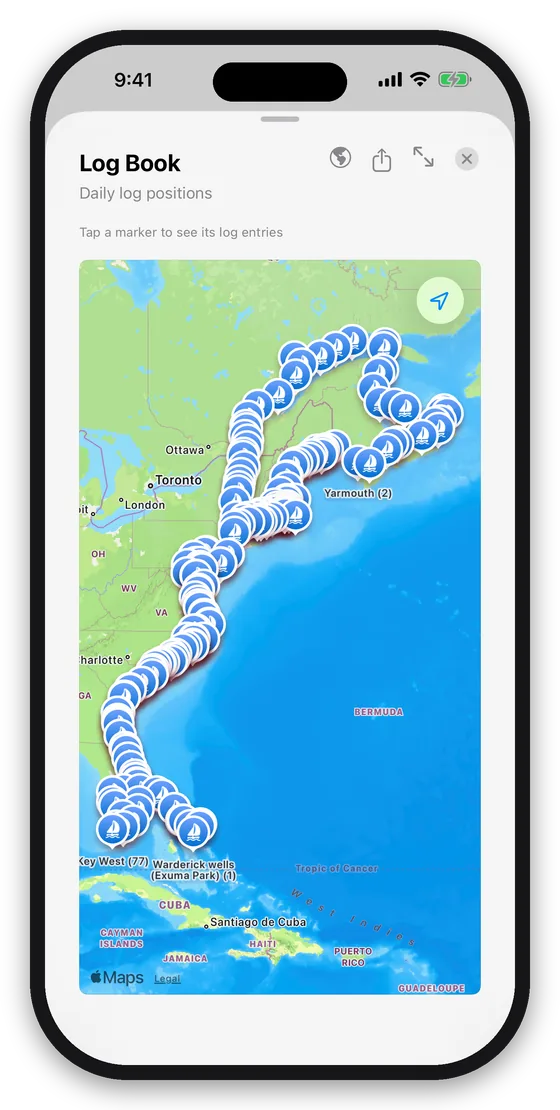
Waypoints & Float Plans
Import waypoints from a chart plotter via GPX or CSV. File a USCG-style float plan before you leave — vessel and crew details are pulled in automatically — and send an "Arrived" message the moment you're back safe.
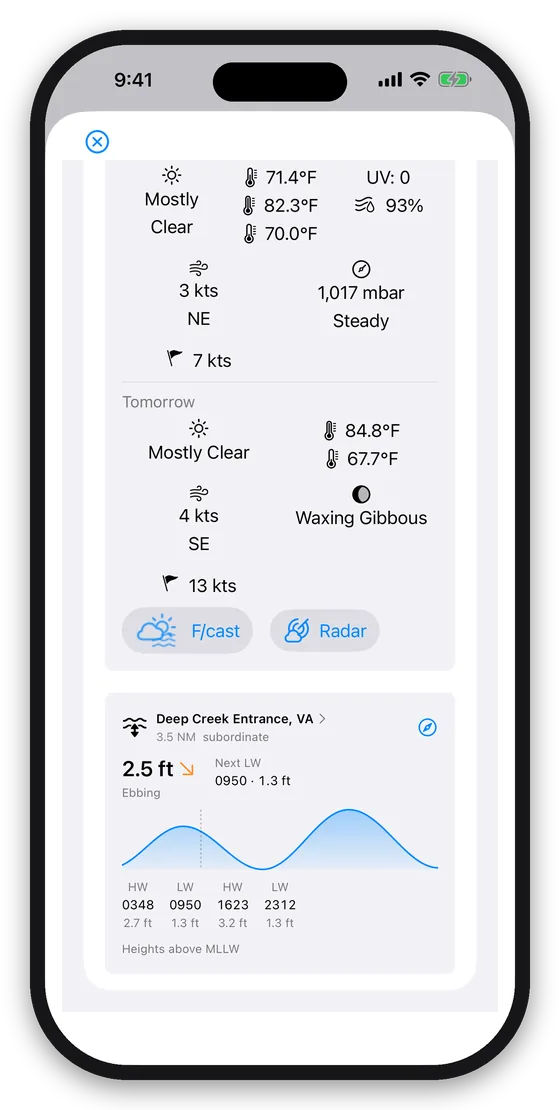
The Helm Dashboard
A single popover view of where you are, the tide right now and every high and low for the day from the nearest NOAA station, your last log entry, upcoming maintenance and reminders, engine hours, and an estimate of the fuel burned since you last filled up, what that leaves in the tank and how far it will take you — with the working a tap away — the one screen to check before and after every trip.
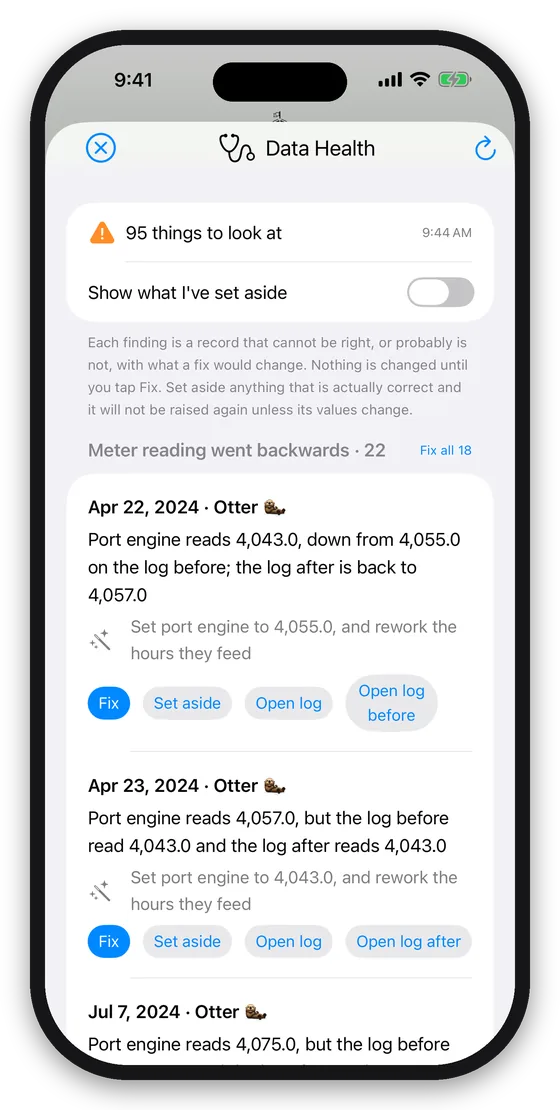
Data Health
Years of logs pick up slips: a meter reading typed a digit short, a refuel with no quantity, a run with no hours. Data Health reads the logbook for what cannot be right, explains why it matters, and proposes the fix — and changes nothing until you say so. It also finds the same boat, waypoint or contact recorded twice, and merges the copies without losing a link.
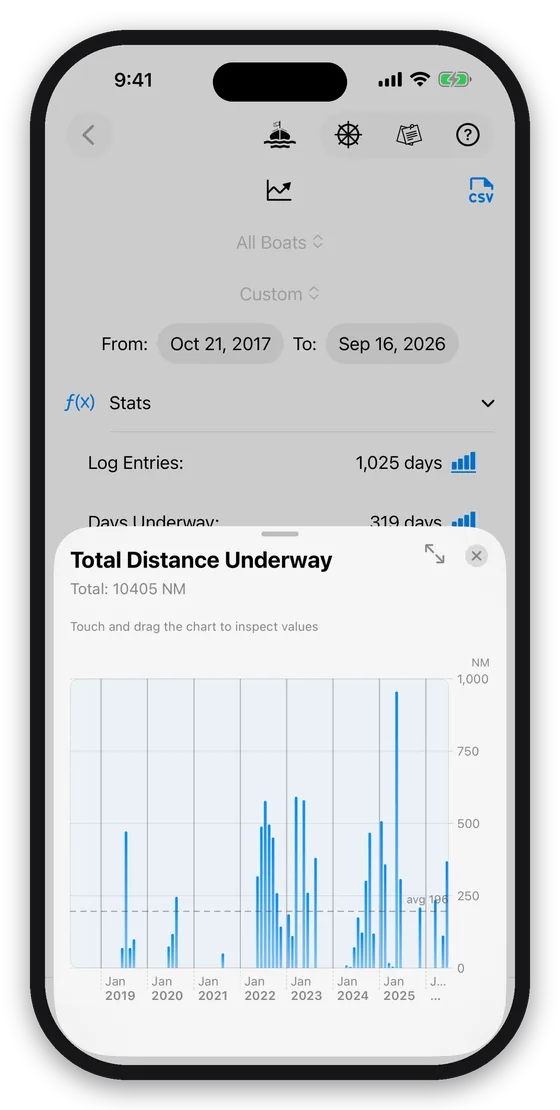
Analysis & Expenses
Days underway, distances, fuel consumption, costs, and a carbon-footprint estimate — calculated automatically from your logbook. Share a receipt or invoice into the app and it is filed on that day's log with its cost; a yard bill goes onto its maintenance task. Export everything to CSV for your own records or further analysis.
Boat Manager for Mac
The companion Mac app puts the same boats, logs, maintenance schedules, and documents on a full-size screen — for the work that's easier at a desk than at the chart table: planning a season's maintenance, reviewing a logbook, sorting out paperwork, or exporting records.
It shares the same iCloud data as the iPhone and iPad apps, so there is nothing to transfer or re-enter — and it's included in your Boat Manager purchase, with nothing more to buy.


Built for iCloud
Fully iCloud-enabled, so your data is available on every device and backed up automatically. No connection underway? Everything still works — it syncs the moment you're back online.
Want the full walkthrough?
The User Guide covers every screen — not just what each button does, but why it's there.